
cron

Website Source Page Viewer Online

View & Extract Website Source Code from Any URL

Fetching source code, please wait…
Meta tags: s
HTML Source

How to Extract Website Source Code in 3 Simple Steps

Retrieve and analyze any webpage's source code in three simple steps

Step 1
Step 2
Step 3

ENTER - Enter Website URL

Paste or type the complete URL of any publicly accessible webpage into the input field to begin the analysis.

What Information Can You Expect From Source Page Viewer?

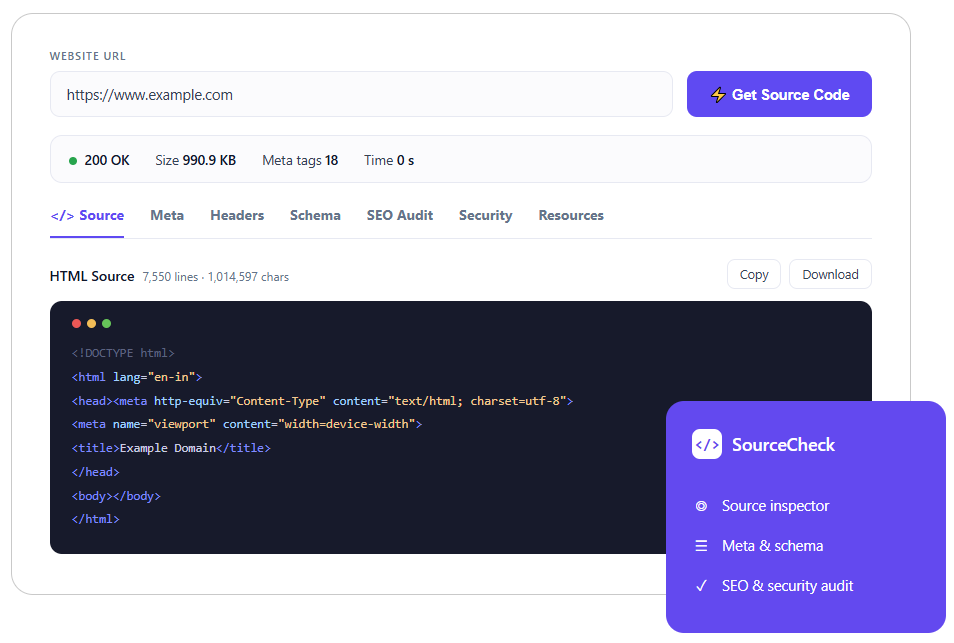
  • Website Status Code
  • SEO Audit Summary
  • Total Page Size
  • Meta Information
  • Security Information
  • Structured Data
  • Response Time
  • HTTP Headers
  • Complete HTML Source
  • Number of Meta Tags

What are the Benefits of Viewing Website Source Code?

Our website code extractor goes beyond displaying HTML code
1
Understand the Website Structure
You can explore & extract a webpage's HTML structure to see how its content, layout, and elements are organized behind the scenes.
2
Debug HTML Issues
You can easily identify broken HTML, missing elements, invalid markup, or coding errors that may affect the website's functionality or user experience.
3
Verify SEO Implementation
You can check whether important SEO elements like title tags, meta descriptions, heading tags, canonical URLs, and robots directives are correctly implemented.
4
Inspect Canonical Tags
You can verify & extract a webpage’s canonical tags to ensure search engines recognize the preferred version of a webpage and avoid duplicate content issues.
5
Check Robots Directives
You can review robots meta tags quickly to determine whether a page has been allowed to be crawled and indexed by search engines.
6
Review Open Graph Implementation
You can inspect Open Graph tags to ensure webpages generate accurate titles, descriptions, and images shared on social media platforms.
7
Analyze Schema Markup
You can examine structured data such as JSON-LD, Microdata, or RDFa to verify eligibility for rich results and improve search engine understanding.
8
Detect Broken Technical Implementation
You can spot missing or incorrectly configured technical elements, including metadata, structured data, and HTTP headers, easily.
9
Learn Frontend Development Techniques
You can study how real websites are built by examining their HTML structure, semantic markup, and frontend implementation for web development knowledge.
self-managed-java-vps

Who Can Use Host IT Smart’s Website Source Code Viewer?

  • Web Developers
  • Frontend Developers
  • SEO Experts
  • Technical SEO Professionals
  • Digital Marketers
  • Website Owners
  • Students Learning HTML
  • QA Engineers
  • Security Researchers
  • Content Auditors

Why Use a Source Page Viewer Tool Instead of Simply Pressing Ctrl+U?

  • Ctrl+U
  • Source Page Viewer Tool
  • Shows raw HTML only
  • Displays HTML with organized technical insights
  • No meta tag analysis
  • Extracts and categorizes meta tags
  • Doesn't summarize HTTP headers
  • Displays response headers separately
  • No structured data detection
  • Identifies Schema Markup (JSON-LD, Microdata, RDFa)
  • No SEO analysis
  • Highlights important SEO elements
  • Difficult to find technical issues
  • Organizes data for easier troubleshooting
  • No security overview
  • Shows security-related headers and information
  • Manual inspection required
  • Everything is available in one place

Frequently Asked Questions About Website Source Page Checker

A Source Page Checker is an online tool that retrieves and displays a webpage's HTML source code, along with technical information such as meta tags, HTTP headers, schema markup, security details, and SEO data.

Yes. Host IT Smart provides this website source code viewer completely free to use.

Yes, you can retrieve the publicly available HTML source of websites that allow access via a normal browser. Password-protected or restricted pages cannot be accessed.

Absolutely. The tool helps inspect important SEO elements, including meta tags, canonical URLs, robots directives, structured data, HTTP headers, and other technical signals.

Yes. Developers can quickly inspect HTML, response headers, page resources, and other technical information without manually viewing the page source.