
Visiting a website and seeing a warning message that says ‘Not Secure.’ Most visitors would leave immediately without thinking twice.
In 2026, website security is no longer an optional feature; it is a basic requirement. Whether you run a personal blog, business website, portfolio, or online store, visitors expect their information to be protected. This is where an SSL certificate plays an important role.
The good news is that you don’t always need to purchase an SSL certificate to secure your website. Most modern hosting providers offer free SSL certificates that can be installed directly from cPanel within a few clicks.
If you are using cPanel to manage your website, it simplifies obtaining and installing free SSL certificates through its AutoSSL feature in cPanel.
Well, What’s this AutoSSL?
AutoSSL is a cPanel feature introduced in cPanel that automates the certificate issuance and renewal process, providing a hassle-free way to secure your website.
This in-depth article will walk you through the steps to install a free SSL certificate on your website using the cPanel AutoSSL feature.
Also Read: Differences to Know Between SSL & TLS Certificates
Steps to Install a Free SSL Certificate in cPanel Using an AutoSSL Feature
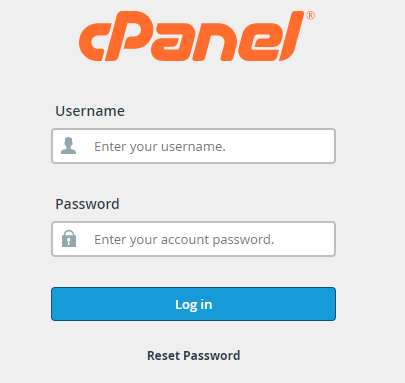
➔ Log in to cPanel using your credentials.
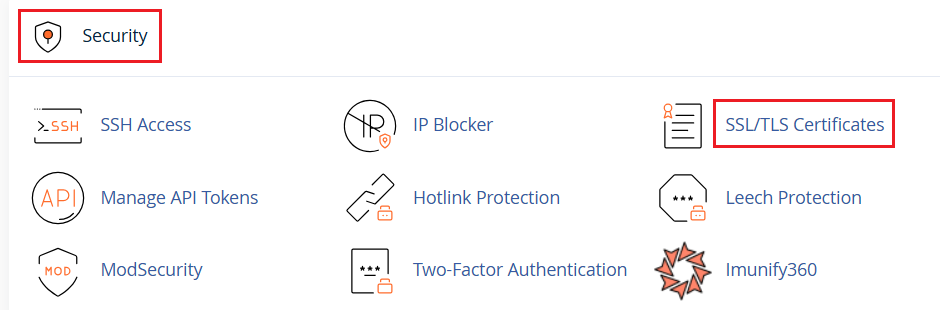
➔ In the ‘Security’ section, navigate to ‘SSL/TLS Certificates.’
➔ A new page will appear. You have to select the domain on which you want to add a free SSL certificate.
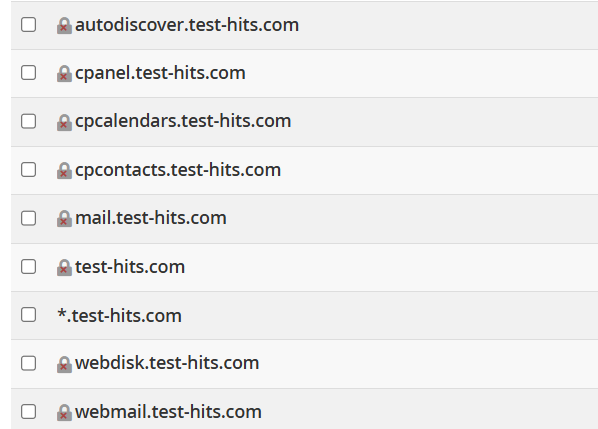
➔ Once selected, click ‘Continue’ to go ahead.

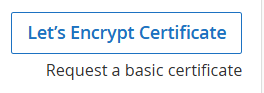
➔ On another page, you just have to click on ‘Let’s Encrypt Certificate.’
That’s it! A Free SSL certificate has been installed on your website.
Also Read: How to Redirect HTTP to HTTPS in htaccess?
Conclusion
Installing a free SSL certificate in cPanel is one of the simplest yet most important steps you can take to improve your website’s security and credibility. With modern cPanel integrations like AutoSSL, securing your website no longer requires technical expertise or additional costs.
By following the steps outlined in this guide, you can quickly enable free SSL protection for your website and ensure a safer browsing experience for your visitors. Remember to periodically verify that your SSL certificate remains active and that your website automatically redirects users from HTTP to HTTPS for complete security coverage.