| Getting your Trinity Audio player ready... |
Highlights
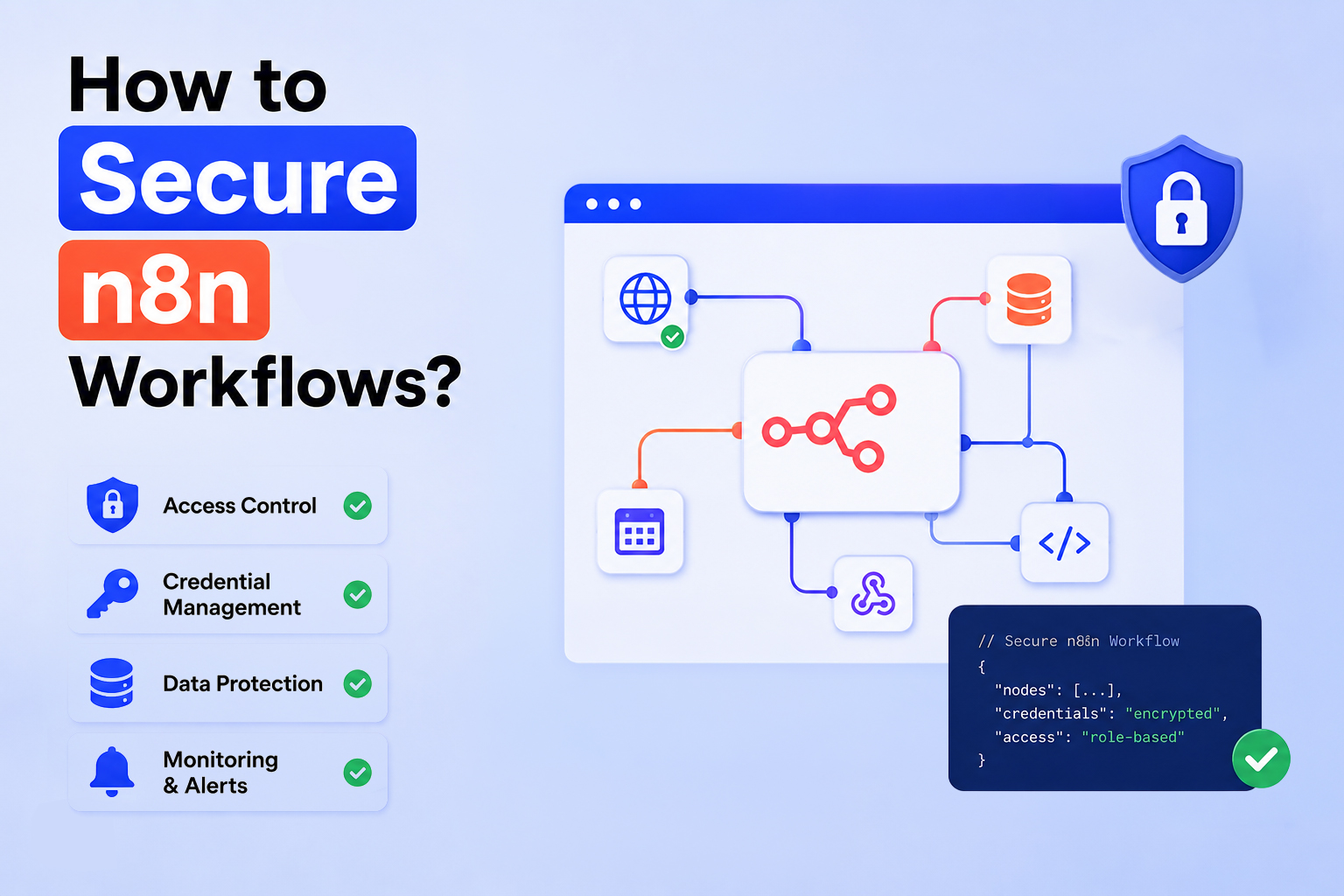
- n8n security starts with the basics, such as using strong authentication, secure credentials, protecting webhooks, and enabling HTTPS to prevent unauthorized access and data leaks.
- Most security risks come from configuration mistakes, such as exposed API keys, unsecured webhooks, excessive permissions, outdated systems, and unmonitored execution logs.
- A secure n8n environment requires continuous monitoring, regular updates, proper backups, restricted access, and infrastructure-level protection to maintain reliable workflows.
- Choosing the right hosting model matters as Cloud hosting offers convenience with managed security, while self-hosting provides greater control over security, compliance, and customization.
Introduction
Automation is great. Until something breaks in a way you didn’t expect.
You’ve seen this happen more than once. A workflow runs perfectly for weeks, quietly handling tasks in the background. Then one day, someone notices strange API activity… or worse, data showing up where it shouldn’t.
The issue usually isn’t the automation itself. It’s the gaps around it.
Tools like n8n make it incredibly easy to connect systems and trigger actions. But every connection you create is also a potential weak spot if it’s not secured properly.
This guide walks through how to lock down your n8n workflows in a way that actually holds up in real-world use (not just in theory).
What is n8n, and why is it widely used for Automation?
If you have used n8n automation, you already know why people like it.
It’s flexible. You can self-host it. You can customize almost everything. And you can connect it to pretty much any API.
Teams use it for things like:
- Syncing data between tools
- Automating repetitive internal tasks
- Triggering workflows from events
- Building lightweight internal systems
It’s powerful, but that flexibility comes with responsibility. The more systems you connect, the more careful you need to be about how everything is secured.
Also Read: How You Can Make Money With n8n Automation?
Understanding n8n Security Basics
In today’s digital landscape, it’s crucial to learn n8n the smart way. At a glance, a workflow looks simple:
trigger → process → output
Behind the scenes, though, there’s a lot more going on:
- Credentials being used
- Data moving between services
- Logs being stored
- External systems are being accessed
Each of those pieces can become a problem if left unprotected.
Key Components That Need Protection
➢ Credentials: This is where things usually go wrong first. API keys, tokens, and database logins. If these get exposed, someone doesn’t need to “hack” your system. They can just log in.
➢ Webhooks: Webhooks are convenient, but they’re also easy to forget about. If a webhook URL is public and unprotected, anyone who finds it can trigger your workflow. That might not sound serious until it starts firing repeatedly or pushing bad data through your system.
➢ APIs and Integrations: Every integration is another dependency. You’re not just trusting your own setup. You’re trusting the security of every service you connect to.
➢ Execution Data: Logs don’t look dangerous, but they often contain API responses, user inputs, and internal data.
Over time, that adds up. If someone gains access to logs, they may not need anything else.
Also Read: n8n Use Cases For Developers
Common Security Risks and Best Practices to Secure n8n Workflows
n8n workflows are powerful. However, they can introduce serious security risks when access, credentials, and integrations aren’t properly controlled.
Most issues don’t come from the tool itself, but from small configuration gaps that quietly expose sensitive data or system access.
Below are some common security issues:
- 1. Unauthorized access to workflows:
- Weak permissions allow users to edit or trigger workflows.
- Sensitive data can be viewed or modified.
- Risk often comes from overly broad internal access.
- 2. Exposed API keys and credentials:
- Hardcoded or reused credentials are still common.
- Once exposed, they allow direct system access.
- No additional authentication barrier.
- 3. Insecure webhooks:
- Public webhook URLs without protection are vulnerable.
- Can be triggered by anyone who discovers them.
- Risk of spam, abuse, or malicious data injection.
- 4. Data leakage in execution logs:
- Logs may store API responses and user inputs.
- Often left unmonitored for long periods.
- Can silently expose sensitive information.
- 5. Third-party integration risks:
- Security depends on all connected services.
- A weak external integration can compromise the workflow.
- Risk extends beyond n8n itself.
Also Read: Best AI Tools for Web Developers You Should Know
Best Security Practices for n8n Workflows
Securing n8n workflows comes down to tightening authentication and protecting credentials. It entails controlling access across every layer of your setup.
Here are some of the best practices in n8n for security:
- 1. Use strong authentication methods:
- Enable strong passwords and MFA.
- Avoid shared accounts.
- Limit login access to trusted users only.
- 2. Secure credentials properly:
- Use n8n credential manager (avoid hardcoding).
- Restrict access to required users only.
- Rotate keys regularly.
- 3. Enable HTTPS everywhere:
- Encrypt all data in transit.
- Protect credentials and payloads from interception.
- Make HTTPS mandatory for all instances.
- 4. Restrict workflow access:
- Apply role-based permissions.
- Limit who can view, edit, or execute workflows.
- Reduce the risk of accidental or unnecessary changes.
Case in point:
A legal services website handling divorce cases used n8n to process and route user submissions.
But because access was not tightly controlled and credentials were not properly secured, sensitive personal data could have been exposed through workflows or intercepted during transmission.
After fixing authentication, securing credentials, enabling HTTPS, and restricting access, they reduced the risk of private information leaking through the system.
Also Read: 12 Problem-Solving Websites For Programmers
Specific n8n Workflows Security
Securing n8n workflows is about more than fixing one weak point. It’s about tightening access and protecting data. It’s about controlling how everything connects across systems. The goal is simple: reduce exposure at every layer where things can be accessed or triggered.
Here are specific security n8n workflows to follow:
1. Securing webhooks and API endpoints
Webhooks and APIs are often the easiest way into a workflow, which makes them a common security risk. Securing them means controlling who can trigger them and making sure every request is legitimate. Without these checks, workflows can be triggered or abused unexpectedly.
What to do:
➜ Use authentication tokens: Add a secret token to webhook URLs. It’s a simple step, but it prevents random triggering.
➜ Validate incoming requests: Don’t assume incoming data is safe. Check where it’s coming from and whether the structure matches expectations.
➜ Employ IP whitelisting: If you know where requests should come from, restrict access to those IPs. It’s not always possible, but when it is, it helps.
➜ Implement rate limiting and abuse prevention: Without limits, a webhook can be triggered repeatedly, either by mistake or intentionally. Rate limiting keeps things under control.
2. Environment-level Security Measures
Workflow security also depends on the environment it runs in. If the server or network is exposed, even well-secured workflows can be at risk. This layer is about locking down infrastructure so access is properly controlled from the start.
What to do:
➜ Server infrastructure protection: Even a perfectly built workflow won’t help if the server is exposed.
➜ Firewall setup: Only allow the traffic you actually need. Everything else should be blocked.
➜ SSH hardening: A few small changes go a long way. Disable root login. Use SSH keys instead of passwords. Avoid default configurations.
➜ Container security: If you’re running n8n in Docker, use lightweight images. Keep containers updated. Avoid running as root.
3. Data Protection and Compliance
n8n workflows often process sensitive data, so how that data is stored and managed matters. It’s not just about protecting it while it moves, but also how long it stays and who can access it. Strong data practices reduce long-term exposure and compliance risks.
What to do:
➜ Encrypt sensitive data. If you’re storing sensitive information, encryption isn’t optional.
➜ Manage execution data retention. Ask yourself: Do you really need logs from six months ago? If not, don’t keep them.
➜ Have backup and recovery. Backups are only useful if they work. Test them occasionally so you’re not guessing when something goes wrong.
➜ Consider full compliance. If you’re handling user data, regulations such as the General Data Protection Regulation (GDPR) may apply. That usually means limiting stored data. Controlling access. And being clear about how data is used.
4. Monitoring and Threat Detection
Security doesn’t stop at setup. It requires ongoing visibility. Monitoring helps you catch unusual behavior early, before it becomes a real issue. Small irregularities in logs or workflow activity are often the first sign that something is wrong.
What to do:
➜ Enable logging and auditing. Keep track of: who accessed what, what changed, when workflows ran.
➜ Monitor workflow activity. Look for patterns that feel off. Sudden spikes in activity. Repeated failed attempts. Unexpected triggers.
➜ Detect suspicious behavior. Most issues don’t show up as obvious errors. They appear as minor inconsistencies that are easy to ignore.
5. Keeping n8n Updated and Patched
Outdated systems are one of the easiest ways for vulnerabilities to slip in. Regular updates ensure security fixes are applied, and dependencies stay safe. Staying updated is a simple habit that prevents avoidable risks.
What to do:
➜ Understand the importance of regular updates: Updates often fix known vulnerabilities. Skipping them just leaves those gaps open.
➜ Manage dependencies securely: Keep an eye on installed packages, integrations, and deprecated tools.
➜ Stay updated with security advisories: Follow updates from n8n GmbH, so you’re aware of new risks or fixes.
6. Advanced Security Techniques
For more complex setups, basic security isn’t always enough. Advanced methods like private networks, zero-trust access, and centralized secrets management provide stronger control over how systems and credentials are accessed. These help secure n8n at a more scalable, enterprise level.
What to do:
➜ VPN or private networks: Restrict access to your n8n instance rather than exposing it publicly.
➜ Zero trust architecture for automation: Don’t assume anything is safe by default. Every request and user should be verified.
➜ Secrets management tool integration: For larger setups, tools like HashiCorp Vault can help securely manage credentials.
Self-Hosted vs Cloud: Security Comparison
When running n8n, one of the most important decisions is where to host it. Why? Because hosting directly impacts how much control you have over security, maintenance, and scalability.
Cloud hosting and self-hosting both work well. However, they differ in features, responsibility, flexibility, and operational effort.
Understanding this trade-off helps you choose the right setup based on your needs and risk tolerance. Here’s what you need to know:
To learn more about their difference, have a glimpse of their key definition and common features below:
| Self-hosted n8n | Cloud-hosted n8n | |
| Service Overview | Websites where you manage everything yourself, like hosting, security, updates, and configuration | Websites run on managed infrastructure, where the provider handles most of the technical maintenance for you. |
| Key Features |
|
|
When to choose what
When choosing the right web hosting, it really comes down to how hands-on you want to be.
- Cloud hosting: It is ideal if you want to move fast without managing infrastructure. The server setup, security patches, and maintenance are handled for you, allowing you to focus entirely on building and running workflows. It’s a practical choice for teams that prioritize simplicity, speed, and reduced operational overhead.
- Self-hosting: It is better suited for teams that need deeper control over their environment. You decide how the system is configured, how data is handled, and how security is enforced. However, this also means you are responsible for updates, access management, monitoring, and ongoing infrastructure security.
For teams that want the benefits of self-hosting without the complexity of setting everything up from scratch, managed options can help bridge the gap.
For example, solutions like Host IT Smart’s self-hosted n8n provide pre-configured self-hosted n8n environments. These help reduce setup friction while still giving you full control over your workflows and data, making it easier to get started without sacrificing flexibility or ownership.
A simple way to think about it:
- Choose cloud hosting if you want a faster setup with minimal maintenance.
- Choose self-hosting if you need full control over security, performance, and customization.
Case in point:
For example, a small business that sells designer t-shirts might start with a cloud setup to keep things simple and focus on sales.
As the business grows and starts handling more customer data and custom workflows, they may switch to a self-hosted setup to have tighter control over security and how everything runs.
Common Mistakes To Avoid
Most security issues don’t come from complex attacks. They come from small things that get overlooked.
Here are a few that show up often:
- ➜ Public workflows with no protection
- ➜ Webhooks left unsecured
- ➜ Credentials reused or hardcoded
- ➜ Updates ignored
Each one seems harmless at first. The workflow works. Nothing breaks. And everything looks fine.
The problem is, these issues don’t cause immediate failures. They sit quietly in the background until something triggers them. Like unexpected traffic. A leaked URL. Or a compromised credential.
That’s why it’s worth fixing them early. It’s much easier to prevent a problem than to track one down after something goes wrong.
Growing Importance of Workflow Security in 2026
Automation isn’t just a convenience anymore. For many teams, it’s part of their core operations.
That means workflows aren’t “just tools.” They’re infrastructure. And infrastructure needs to be secured properly from the start.
➢ Quick Security Checklist
If you want something simple to follow:
| 1. Use strong authentication | ✔ |
| 2. Store credentials securely | ✔ |
| 3. Protect webhooks | ✔ |
| 4. Run everything on HTTPS | ✔ |
| 5. Limit access | ✔ |
| 6. Monitor activity | ✔ |
| 7. Keep systems updated | ✔ |
| 8. Back up regularly | ✔ |
Conclusion
Securing n8n workflows isn’t about adding one big fix!
It’s about paying attention to small details (credentials, access, logs, infrastructure). That quietly determines whether your system is safe or exposed.
Most issues don’t come from complex attacks. They come from simple things that were overlooked.
Fix those early, and your workflows will stay reliable as they scale!
Looking to implement and secure n8n workflows? Leverage Host IT Smart’s self-hosting & start building today!