| Getting your Trinity Audio player ready... |
Highlights
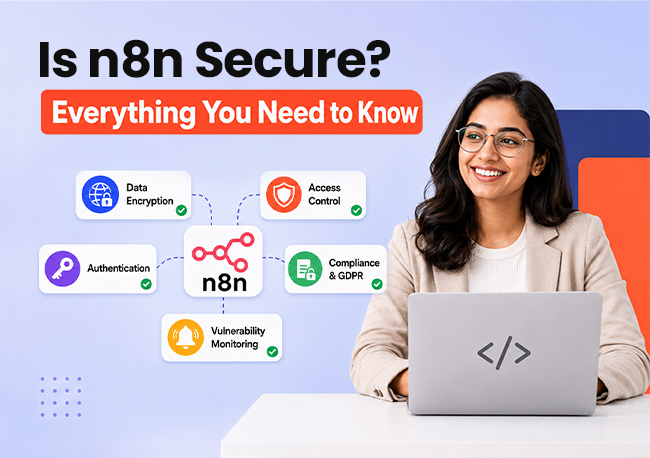
- n8n is secure when configured correctly, offering HTTPS/TLS encryption, encrypted credentials, MFA, role- based access control, and SOC 2 Type II compliance to protect workflows and sensitive business data.
- Self-hosting provides the highest level of control, making it the preferred choice for organizations handling sensitive or regulated data, while n8n Cloud is ideal for teams that want managed security.
- Security depends on your setup, not just the platform. Enabling MFA, enforcing HTTPS, rotating secrets, managing access, and keeping n8n updated are essential for a secure deployment.
- n8n is powerful but not without limitations. Enterprise security features require paid plans, self-hosting demands technical expertise, and regular updates are necessary to stay protected from newly discovered vulnerabilities.
Introduction
What happens if one tool has simultaneous access to your whole database, email platform, payment gateway, and CRM?
That is precisely what n8n does. It links hundreds of apps and services into automated processes that manage your company in the background. Every day, thousands of teams already rely on it.
But the question of whether n8n is truly secure enough to handle important company data is one that most people overlook in their enthusiasm for creating automations. All linked systems are affected if that one automation layer is compromised. Unfortunately, the majority of users are unaware of how important this is.
Let us dissect everything!
Why n8n Security Deserves a Serious Answer
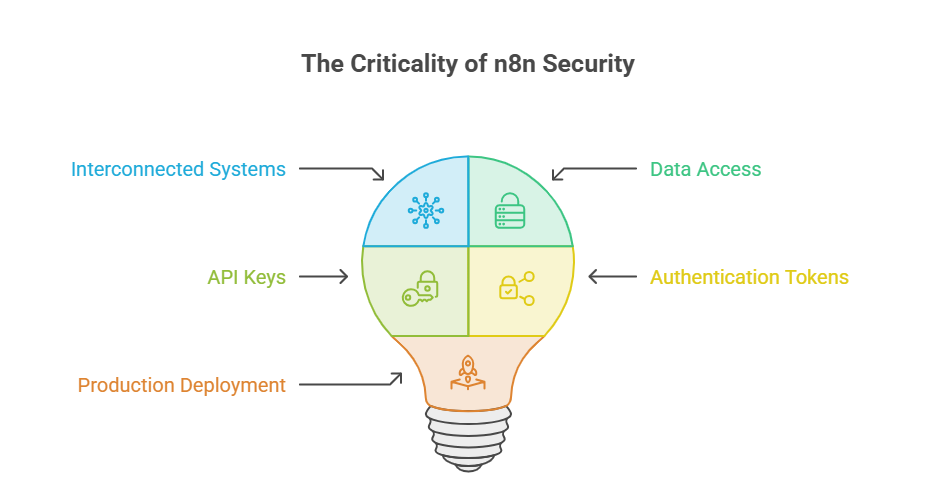
Picture what n8n does inside a business. It connects the CRM to the email platform. It pulls data from databases. It talks to payment gateways, HR tools, analytics dashboards, cloud storage, and email APIs to automate transactional messages and notifications. All of that runs through a single automation layer.
Just like every business website needs the right features to function securely, every automation tool needs the right safeguards before it touches real data.
Now think about what happens if that layer gets compromised. An attacker who breaks into an n8n instance does not just access one system. They walk straight into every connected service, complete with stored API keys and authentication tokens. That is not a hypothetical risk. That is the reality of how automation platforms work.
So yes, the security question is not just valid. It should be the first conversation before any production deployment.
Also Read: How to Learn n8n the Smart Way?
How Does n8n Protect Your Data?
n8n does not rely on a single safeguard. Instead, it layers multiple security mechanisms on top of each other. Here is what that looks like in practice.
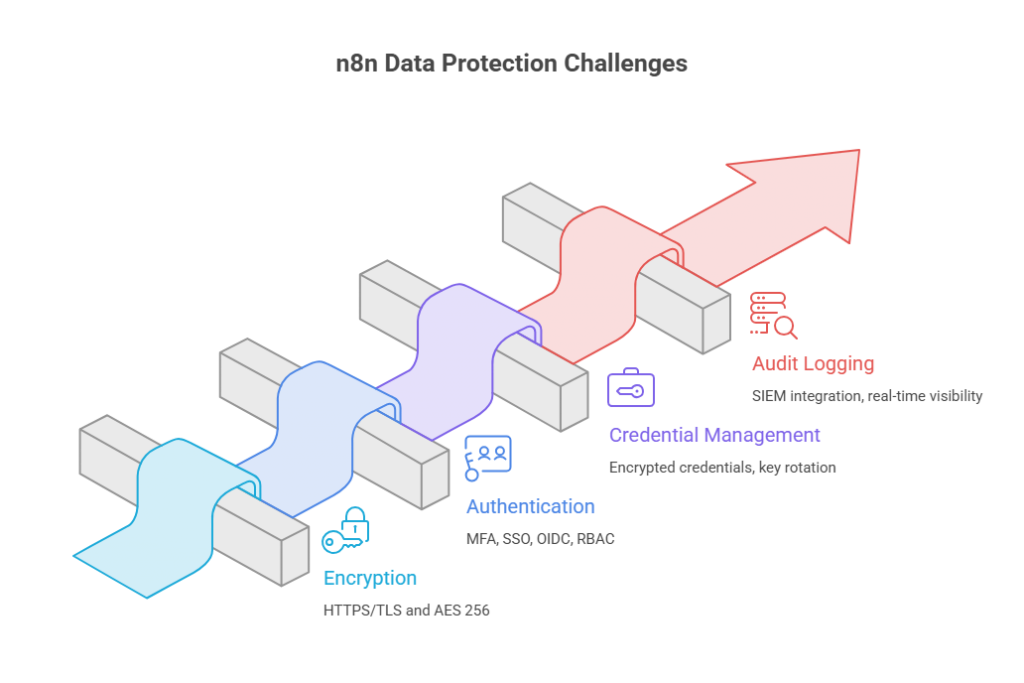
All traffic between n8n and connected services travels over HTTPS/TLS, so nothing moves in plain text. For stored data, n8n Cloud uses AES-256 encryption through Azure Storage with FIPS 140-2 compliance. That is the same standard trusted by banks and government agencies worldwide.
Self-hosted users get full control. They pick the cloud provider, the geographic region, and the encryption method. For teams operating under strict data residency laws, that flexibility matters enormously. Teams that understand why a structured web presence supports better infrastructure decisions often approach deployment planning more strategically from the start.
➢ Authentication and Access Control
n8n offers multiple layers of protection beyond a basic login screen:
➔ Username and password login with enforced complexity rules.
➔ Multi-factor authentication with forced enforcement available on enterprise plans.
➔ Single Sign-On through SAML or LDAP for centralized identity management.
➔ OIDC integration with providers like Okta, Keycloak, and Auth0.
➔ Role-based access control that separates workflow builders, viewers, and administrators.
Mandatory MFA deserves special attention here. Users who have not completed two-factor setup simply cannot access the platform. No workaround, no exceptions. That kind of enforcement changes behavior.
➢ Credential Management
Every stored credential in n8n gets encrypted with a persistent encryption key, and the platform supports scheduled key rotation. For production environments, the recommended practice is to store secrets inside a dedicated manager like AWS Secrets Manager or Azure Key Vault. This will keep sensitive material isolated even if the n8n instance itself is compromised.
➢ Audit Logging
Enterprise plans include full audit logging with log streaming capabilities. Teams can feed those events directly into their existing SIEM or monitoring stack for real-time visibility into who did what and when.
Also Read: Best Practices for n8n Workflow Automation
Cloud or Self-Hosted: Which Setup is Safer?
This debate comes up constantly, and the honest answer is that it depends on the team and the data involved.
| Factor | n8n Cloud | Self Hosted |
| Security management | Handled entirely by n8n | Falls on your IT team |
| Where data lives | Azure infrastructure | Your chosen infrastructure |
| Encryption | AES 256, fully managed | Completely customizable |
| SOC 2 Type 2 | Yes, certified | Depends on your own environment |
| Air-gapped deployment | Not possible | Fully supported |
| Ideal for | Teams without dedicated DevOps staff | Organizations under strict regulatory requirements |
The data sensitivity angle matters just as much:
| What Kind of Data Flows Through n8n? | Best Deployment Choice |
| Public or anonymized, no PII involved | n8n Cloud handles this perfectly well |
| Personally Identifiable Information | Self-host inside a controlled cloud environment on AWS, Azure, or GCP |
| Protected Health Information | Self-host in a HIPAA-eligible cloud with a signed BAA in place |
Organizations dealing with regulated data almost always lean toward self-hosting because it removes third-party involvement from the data pipeline completely. Compliance officers and auditors strongly prefer that model, and for a good reason.
Worth noting: Self-hosting brings real responsibility. Patching, updates, configuration hardening, and monitoring all land on your team. Nobody else handles it for you.
Also Read: n8n Use Cases For Developers
➢ Making Self-Hosting Easier
If you want the control of self-hosting without building the server infrastructure yourself, Host IT Smart’s n8n VPS hosting is built specifically for this use case.
Here’s what’s included:
★ Pricing: Plans start at ₹299/month, with higher tiers scaling up to 8 vCPU cores and 32 GB RAM for heavier automation loads.
★ Pre-installed n8n: No manual Docker or npm setup required before you can start building workflows.
★ KVM virtualization: Proper isolation between virtual machines for stronger security boundaries.
★ Dedicated IP and full root access: On every plan.
★ Tier 4 Indian data center: ISO/IEC 27001 and PCI DSS compliant infrastructure.
★ SSD-backed storage: For faster workflow execution.
★ Optional backups: Via an Acronis-based add-on.
★ 30-day money-back guarantee: If it’s not the right fit.
It’s a reasonable middle ground for teams that want their data on infrastructure they control, without taking on the full weight of server management from day one.
The Significance of SOC 2 Type 2 Certification
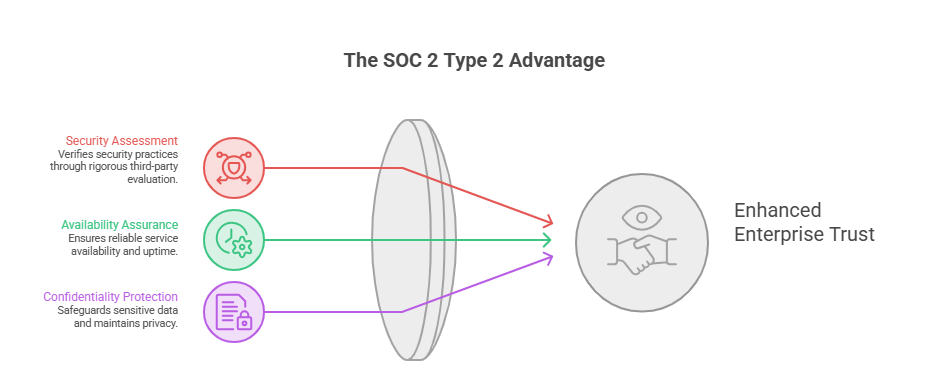
The SOC 2 Type 2 certification that n8n has is not a self-reported badge or a checkbox exercise. The platform’s management of security, availability, and confidentiality throughout actual operations is assessed over several months by an impartial auditor.
This one certification frequently removes the largest first obstacle for enterprise procurement teams conducting vendor security checks. Instead of simply accepting the seller at their word, it indicates that a third party has confirmed the security claims.
Also Read: How You Can Make Money With n8n Automation?
Essential Security Steps That Should Happen on Day One
Regardless of the method of deployment, the following parameters must be met before any workflow goes live:
➔ Enable MFA for every user account, not just administrators.
➔ Set a persistent encryption key so credentials survive container restarts.
➔ Configure session timeouts using N8N_SESSION_TIMEOUT to kill stale sessions.
➔ Disable the public API unless actively needed.
➔ Turn on execution data redaction to keep sensitive inputs and outputs out of logs.
➔ Enforce HTTPS/TLS on every connection with zero exceptions.
➔ Rotate JWT secrets on a regular schedule.
Skipping even a few of these can turn a solid platform into an audit liability overnight.
Also Read: Do Websites Go Away with AI Agents – Know the Truth
An Honest Look at Where n8n Falls Short
No platform is perfect, and n8n has a few notable gaps.
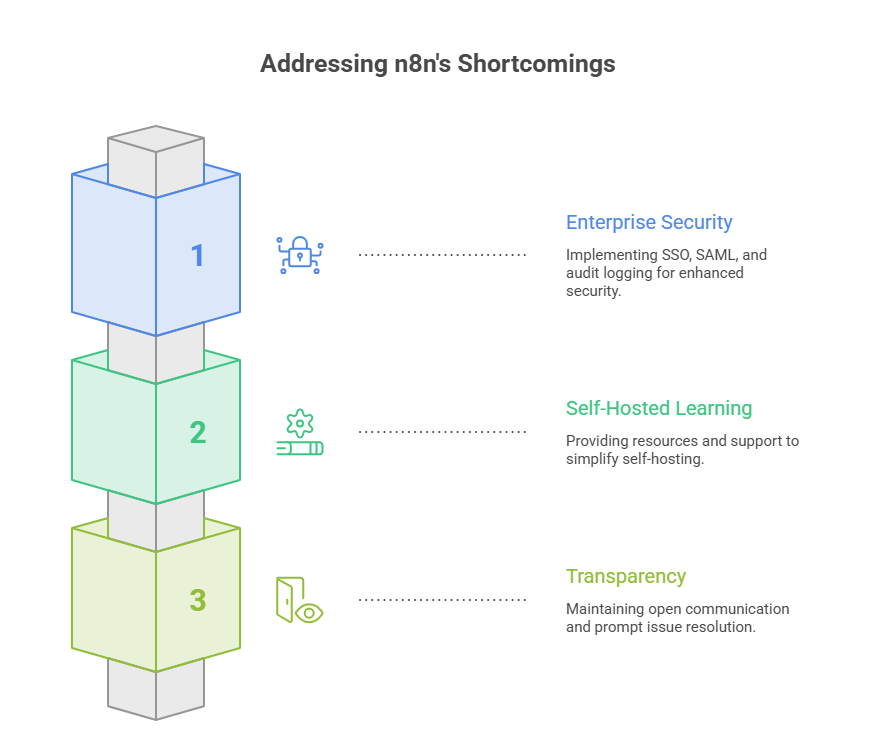
➢ Enterprise Paywalled Security Features
SSO, SAML, and granular audit logging all require enterprise pricing. Smaller teams with tight budgets get locked out of tools that arguably should be available on lower tiers. Budget size ends up deciding protection level, not security awareness.
➢ Steep Self-hosted Learning Curve
Community forums and Reddit threads are full of users who spent days struggling with reverse proxy and networking configurations. Perhaps worse than using no automation platform at all is the false sense of security created by a misconfigured instance.
➢ Security Vulnerabilities
Like any widely used software platform, n8n is not immune to security vulnerabilities. A critical issue affected versions 1.65 through 1.120.4, and it required users to update promptly. The positive side is that n8n disclosed the issue publicly, released fixes, and provided detailed remediation guidance. While the existence of vulnerabilities is unavoidable, such timely responses reduce the overall risk.
Also Read: Best AI Tools for Web Developers You Should Know
Final Verdict: Can You Trust n8n With Your Data?
Yes, with one condition. n8n delivers strong encryption, mature authentication, SOC 2 Type 2 certification, and full air-gapped deployment support. The security building blocks are solid.
But the platform does not secure itself. You need to secure n8n workflows by Proper configuration, enforced MFA, disciplined access management, and timely updates, all of which fall on the team running it. Before going live, reviewing the official n8n security documentation is a must.
When configured properly, n8n holds up well against both open-source and commercial competitors. The tools are there. Just make sure they get used.
Looking for expert help with secure n8n deployment and managed hosting? Visit Host IT Smart to get started.
Frequently Asked Questions
Yes. If you self-host n8n, your workflows, credentials, and data remain on your own server, giving you full control over where information is stored and processed. If you use n8n Cloud, your data is hosted and managed by n8n in accordance with its infrastructure and security practices.
Yes. n8n encrypts saved credentials using an encryption key before storing them. This helps protect API keys, passwords, and other sensitive authentication details from unauthorized access.
Yes. The Community Edition of n8n is free to self-host, allowing you to create and run workflows without paying a subscription fee. However, you will still need to pay for the infrastructure on which you host it, such as a VPS or a cloud server. If you choose n8n Cloud or require advanced business and enterprise features, paid plans are available.
Absolutely. n8n is an excellent choice for small businesses that want to automate repetitive tasks, connect multiple applications, and reduce manual work without investing in expensive automation software. Its visual workflow builder, extensive integrations, and self-hosting option make it a cost-effective solution that can scale as your business grows.
While n8n is a powerful automation platform, it does have a few limitations:
- Self-hosting requires server management and regular maintenance.
- Complex workflows may require some JavaScript or technical knowledge.
- Performance depends on your server’s resources.
- Advanced collaboration and enterprise features are available only in paid plans.
- For most individuals and businesses, these limitations are outweighed by its flexibility and customization options.
Yes, provided you connect only trusted services and use secure authentication methods such as OAuth or API tokens. Review the permissions you grant and remove unused integrations regularly.
Hosting n8n on a VPS server offers greater control over security than many shared environments. You can configure firewalls, install SSL certificates, manage updates, and isolate your automation workflows on a dedicated virtual server, making it a preferred choice for many businesses and developers.