
Highlights
- There’s no single tool that reveals the exact publish date, but several practical methods can help. You can find this information in search results, URLs, web pages, page source code, the Wayback Machine, and more.
Introduction
Ever landed on a webpage and thought, “Wait… when was this webpage actually published?”
Maybe you’re checking if an article is outdated, verifying a source for research, analyzing a competitor’s website, or just trying to understand how long a website has been around. Whatever the reason, knowing when a website was created can quietly tell you a lot more than you’d expect.
The problem is that most webpages don’t openly say, “Hey, I was created on this date.” And while you might see a “last updated” date, that doesn’t always mean the page is new or old. A 2016 article updated yesterday can still look fresh, even if the core content hasn’t changed much.
That’s where things get interesting!
In this guide, we will walk through simple, practical ways to find out when a webpage was first published, from quick browser tricks to reliable online tools and behind-the-scenes technical checks.
Whether you’re a blogger, SEO professional, student, business owner, or just someone who likes verifying facts, this article will give you clarity.
Let’s find out the real age of a webpage step by step!
Also Read: How to Ping Google in Windows, Linux & MacOS?
Best Ways to Find Out When a Website Was Published
|
1. Check Google Search Results
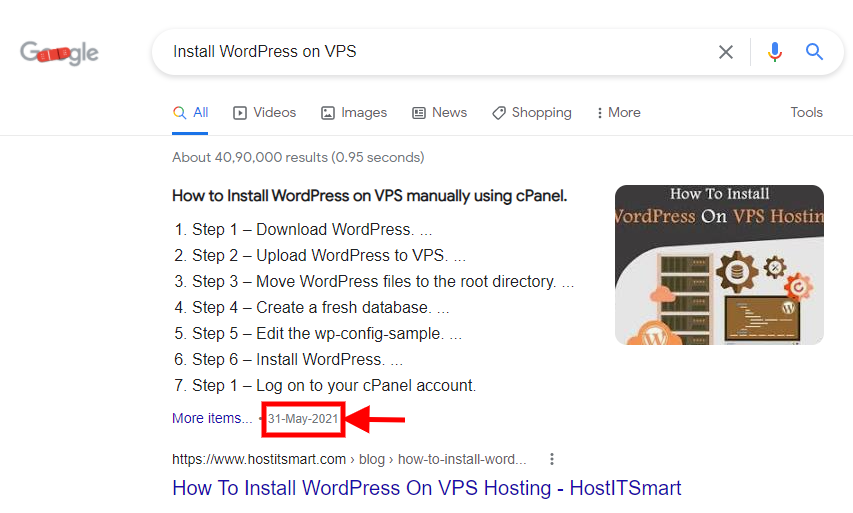
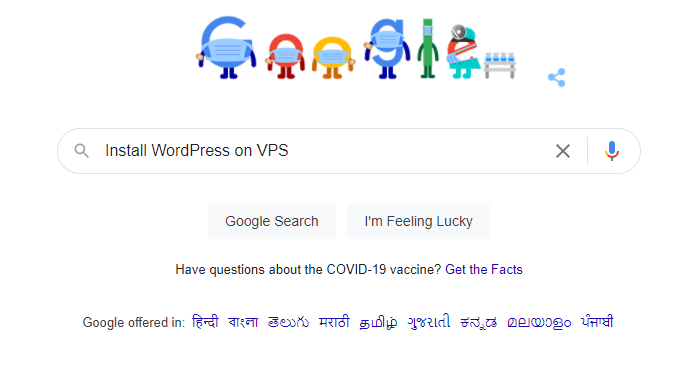
Very easy, very simple, and yet very effective. To find the last modified date of a webpage, first of all, search it on google.
Now the results will appear and you will see the link to the page you were searching. Right below the link, google might show you the published or last edited date of the webpage.
2. Look Closely at the Page Content
No, I am not asking you to be Sherlock. All you have to do is open the webpage and read it thoroughly. There can be a chance that the publisher has mentioned the publication date with the content. Also, it might be the case that there’s a lot to read on the page, in that case just check the top and bottom of the page.

Many a time, the date is often mentioned in the top few lines of the content or at the very bottom.
3. Analyze the URL Structure
Sometimes the publication date is often mentioned in the URL of that webpage. So just have a look at the URL, in case you find a month, year, or exact date of publication.
Check the Image below:

4. Inspect the Page Source Code
Open the webpage, right-click on an empty space, and you will see “view page source” or something like this as an option. Click on that and the source code will open.

Now, press ctrl+f for Windows and command+f for Mac. Then search ‘Publish’ or ‘Modified’ and read every line displayed that has the word ‘publish’ or ‘modified’ in it.
One of the lines will probably tell you the modification date of the webpage or the publication date of the webpage.

5. Use Google “inurl:” Search to Detect
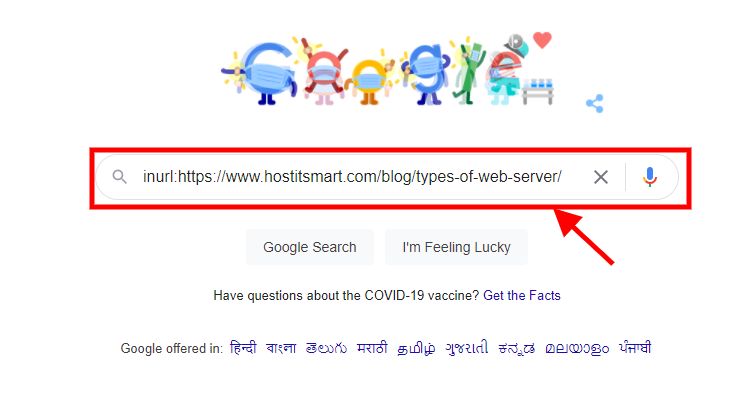
Go to Google and type “inurl:” without quotation marks. Then, copy-paste the web page link just after it without any space in between.
For example, inurl:https://www.hostitsmart.com/blog/types-of-web-server. Then hit the search button.
Now, on the top where the URL is displayed, put “&as_qdr=y15” at the end of the URL without quotation and hit the search button.

Now the results will be displayed. Search for the link you are looking for in the result section and you will probably find the publication date below the link.

6. Check the Website’s Copyright Year
At the very bottom of the page, you will find the copyright column. That can at least help you get an idea of the year of development as websites are often copyrighted at the time of development.
7. Use the Wayback Machine
Another way to check is to use a free tool called the Wayback Machine to check when a webpage was first saved on the Internet. Just go to their website, type the webpage URL, and it will show you a calendar with all the dates it took snapshots. The earliest snapshot gives you a good idea of when that page was likely created or went live.
8. Check User Comments
If the webpage contains a comment section for the users, check the comments and find the earliest published comment. That can help you get a near idea of the publication date/year of the webpage as the comment can’t be posted before the publication of the webpage.
These are seven basic techniques to know when a webpage was created or last modified. You can try the simple ways first and if they are ineffective then you can go for the complex ones. Some of these might work for a few websites while others might work for another few. Give them a try and see what works best for you.
Conclusion
So, when it comes down to it, there’s no single ‘magic button’ that tells you the exact day a webpage was published, and that’s completely normal.
The smart approach is to connect the dots. Check Google results, look closely at the content, inspect the URL or source code, and when in doubt, let tools like the Wayback Machine do the heavy lifting. Each method gives you a clue, and together, they paint a much clearer picture.
The real win here isn’t just finding a date, it’s understanding context!
- Is the content still relevant?
- Is it trustworthy?
- Has it evolved over time?
Once you know how old a webpage really is, you can make better decisions as a reader, researcher, SEO professional, or business owner!